
Ever feel like you’re standing at the base of a digital Mount Everest, ready to build your online presence, but overwhelmed by the technical jargon of web hosting? You’re not alone. Choosing the right foundation for your website is the single most important decision you’ll make, and for anyone venturing into the world of WordPress, one name consistently rises to the top: Bluehost.
But with multiple options available, the real question is, what is the best Bluehost plan for WordPress beginners? In this comprehensive review, we’re not just scratching the surface. We’re diving deep into Bluehost’s offerings to give you a clear, confident answer. Spoiler alert: For those starting out, Bluehost isn’t just a good choice; it’s arguably the smartest, most streamlined path to launching a successful WordPress site.
Table of Contents
- What Exactly is Bluehost? A Quick Introduction
- Unboxing Bluehost: A Seamless Setup for Beginners
- Key Features in Action: The WordPress Powerhouse
- Performance & Uptime: Is Bluehost Fast and Reliable?
- The Bluehost Dashboard: Is It Truly Beginner-Friendly?
- Finding the Best Bluehost Plan for WordPress Beginners
- Bluehost Pros and Cons: An Honest Look
- The Final Verdict: Is It Worth Your Investment?
- Frequently Asked Questions (FAQ)
What Exactly is Bluehost? A Quick Introduction
Before we dissect the plans, let’s set the stage. Bluehost is one of the oldest and largest web hosting companies in the world, powering over 2 million websites. More importantly, it has maintained a unique and powerful partnership with WordPress.org since 2005, earning it the coveted title of an “official” recommended hosting provider.
This isn’t just a fancy label. This deep integration means Bluehost has engineered its platform specifically for WordPress, creating a hosting environment where the world’s most popular CMS can truly thrive. It’s designed to remove technical barriers, making website creation accessible to everyone from hobby bloggers to burgeoning e-commerce entrepreneurs.
Unboxing Bluehost: A Seamless Setup for Beginners
Your first interaction with a hosting provider sets the tone for your entire experience, and this is where Bluehost immediately shines. The sign-up and setup process is exceptionally smooth.
- Choose Your Plan: You’ll select a plan (we’ll cover which one is best below).
- Claim Your Free Domain: For the first year, your domain name is on the house. This saves you money and simplifies the process, as you don’t have to register it elsewhere and point it to your hosting.
- One-Click WordPress Installation: This is the magic moment. Instead of fumbling with databases and file uploads, Bluehost automatically installs the latest version of WordPress for you. As soon as you complete your purchase, your WordPress site is essentially ready to go.
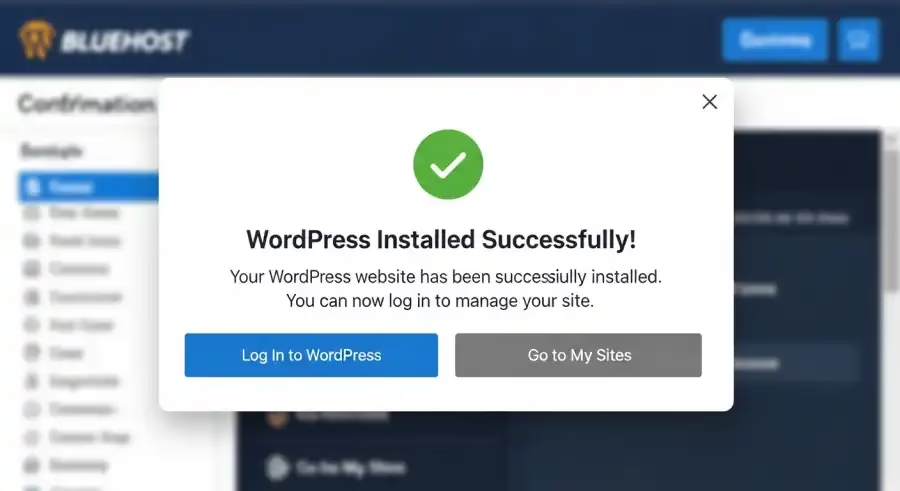
The entire process takes just a few minutes, transforming what used to be a daunting technical task into a simple, guided experience.
Key Features in Action: The WordPress Powerhouse
A great hosting plan is more than just server space. It’s a toolkit designed for success. Here’s what Bluehost packs into its plans to specifically support WordPress users:
- WordPress-Centric Dashboard: While a traditional cPanel is available, Bluehost offers a custom dashboard that puts all your essential WordPress tools front and center. You can manage updates, plugins, and performance from one clean, intuitive interface.
- FREE Domain and SSL Certificate: As mentioned, you get a free domain for the first year. Crucially, you also get a free SSL certificate. This enables the “https://” padlock on your site, which is vital for security, visitor trust, and SEO rankings.
- Professional Email Addresses: Nothing says “amateur” like an @gmail.com business address. Bluehost provides free professional email accounts (e.g., you@yourdomain.com), adding a layer of credibility to your brand.
- Automatic WordPress Updates: Keeping your WordPress core, themes, and plugins updated is critical for security. Bluehost handles this automatically, so you can focus on creating content without worrying about vulnerabilities.
- Scalability: You may be a beginner now, but your site will grow. Bluehost plans are easily scalable. When your traffic explodes, you can upgrade to a more powerful plan (like Choice Plus or Pro) with a single click, ensuring your site never slows down under pressure. This flexibility is also why many users look into specialized hosting like Elementor hosting services providers for your blog, as WordPress allows you to use powerful page builders.
Performance & Uptime: Is Bluehost Fast and Reliable?
A beautiful website is useless if it’s slow or frequently offline. This is where we conduct our bluehost wordpress hosting review on performance.
Bluehost delivers solid, reliable performance, especially for its target audience. While it may not compete with high-end managed hosts that cost ten times as much, it provides more than enough power for blogs, portfolios, and small business websites.
- Uptime: Bluehost doesn’t offer a specific uptime guarantee on its shared plans, but independent tests consistently show it hovering around the industry standard of 99.9%. This means your site will be online and available to visitors almost all the time.
- Speed: With SSD (Solid State Drive) storage on all plans, data is accessed much faster than on older hard drives. Furthermore, Bluehost includes a free Content Delivery Network (CDN) through Cloudflare. A CDN stores copies of your site on servers around the world, so when a visitor arrives, the content is delivered from the server closest to them, dramatically speeding up load times. A fast site is crucial for user experience and a key factor in Google’s ranking algorithm.
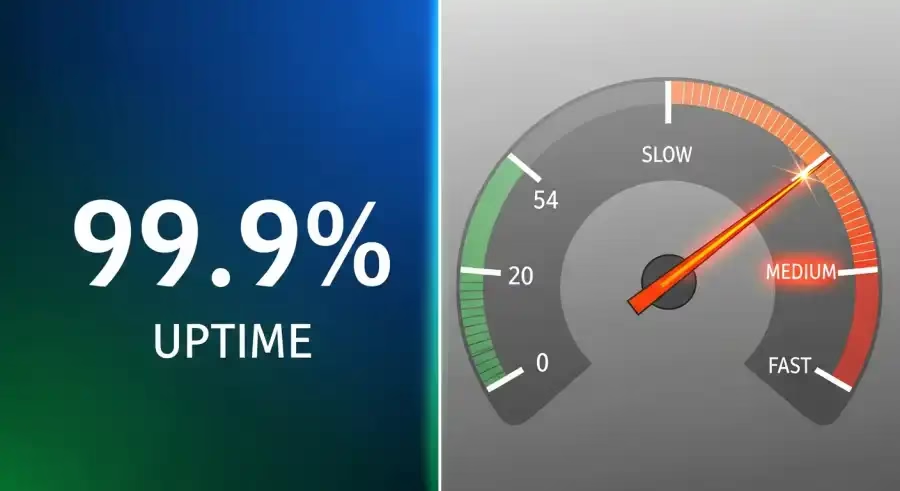
For those just starting, the speed and reliability offered by Bluehost’s shared WordPress hosting plans are an excellent and affordable foundation.
The Bluehost Dashboard: Is It Truly Beginner-Friendly?
Absolutely. The Bluehost customer dashboard is a masterclass in user-friendly design. It neatly organizes everything you need:
- My Sites: A central hub to manage all your WordPress installations.
- Marketplace: Access to themes, plugins, and professional services.
- Email & Office: Where you set up and manage your professional email accounts.
- Domains: Manage your domain renewals and settings.
From the main dashboard, you can log into your WordPress admin area with one click. There are also helpful to-do lists and shortcuts that guide you through setting up key features like caching or an online store. While some hosts just give you cPanel and wish you luck, Bluehost has built a guided experience. It’s less like a raw toolkit and more like a fully-equipped workshop with instructions. While it’s tailored for WordPress, it’s a great entry point for those considering a 1-grid website builder for beginners but want the power and flexibility of WordPress.
Finding the Best Bluehost Plan for WordPress Beginners
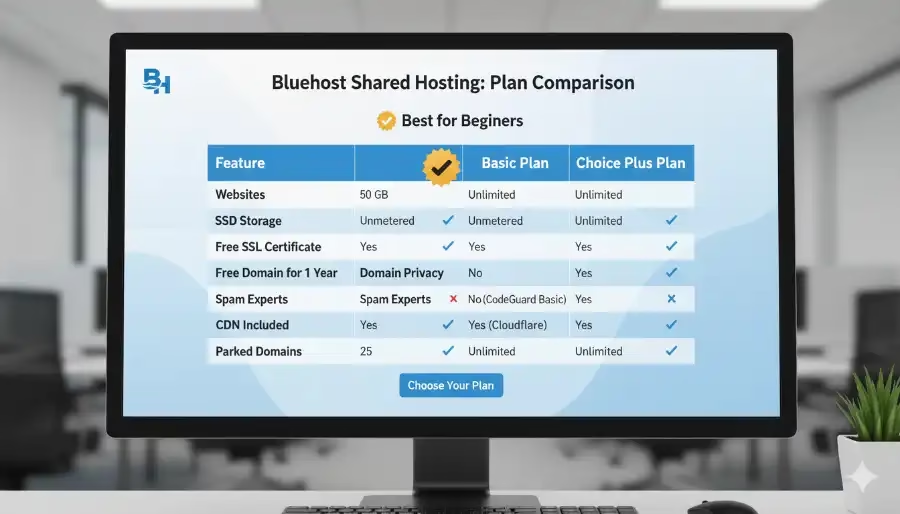
So, we arrive at the central question. Bluehost offers several shared hosting tiers: Basic, Choice Plus, and Pro.
For the vast majority of new users, the best Bluehost plan for WordPress beginners is hands-down the Basic Plan.
Here’s why:
- All-in-One Value: It includes everything a single new website needs: hosting for one site, the free domain, free SSL, free CDN, and 10 GB of SSD storage.
- Cost-Effective Entry: It’s the most affordable way to get started with a professional-grade hosting service. The low introductory price allows you to get your site online and build momentum without a hefty upfront investment.
- Sufficient Resources: For a new blog, portfolio, or small business site, 10 GB of storage and the included performance features are more than enough to handle your initial traffic growth.
Who should consider the Choice Plus Plan?
If you know you’ll need to host multiple websites or want the included Domain Privacy and daily backups from the start, the Choice Plus plan is a fantastic step up for a few extra dollars per month. But for the true beginner focused on launching their first project, the Basic plan is the perfect, no-frills launchpad. It’s the ideal foundation to build a profitable blog and monetize.
Bluehost Pros and Cons: An Honest Look
No review is complete without a balanced perspective. While our outlook is overwhelmingly positive, here’s a clear breakdown:
| Pros 👍 | Cons (Considerations) 🤔 |
| Officially Recommended by WordPress.org | Higher Renewal Rates (Introductory pricing is significantly lower) |
| Extremely Beginner-Friendly (1-click install & guided setup) | Basic Plan Limitations (Only hosts one website and lacks automated backups) |
| Excellent Value (Free domain, SSL, and CDN included) | Phone Support Wait Times (Can sometimes be long during peak hours) |
| Solid Performance & Reliability for its price point | No Free Site Migration (There is a fee for professional migration service) |
| Seamless Scalability to grow with your website |
The “cons” are less about flaws and more about trade-offs. The higher renewal rates are standard across the hosting industry, and the value you get in the first 1-3 years is exceptional.
The Final Verdict: Is It Worth Your Investment?
After a thorough analysis, the answer is a resounding yes. Bluehost has masterfully carved out its place as the premier entry point into the world of WordPress. It strikes an almost perfect balance between affordability, performance, and user-friendliness, making it an incredibly smart investment for anyone launching their first website.
For those seeking the best Bluehost plan for WordPress beginners, the Basic plan offers unbeatable value and removes nearly every technical hurdle that can intimidate a newcomer.
- Key Findings Summary:
- Setup: The easiest, most streamlined WordPress setup process available.
- Features: Includes all the essentials (domain, SSL, CDN) for free.
- Performance: Reliable uptime and good speed for new to moderately trafficked sites.
- Support: 24/7 support is available, though live chat is often quickest.
- Value: The introductory pricing is among the best in the industry.
This is the perfect hosting solution for:
- New bloggers and content creators.
- Small business owners launching their first company website.
- Freelancers and artists building a portfolio.
- Anyone who wants the power of WordPress without the technical headache.
If you are an enterprise-level user with a massive, high-traffic site, you might eventually need a more specialized (and much more expensive) managed host. But for 95% of people starting their journey, Bluehost is not just adequate it’s ideal. It empowers you to focus on what truly matters: creating great content and growing your audience, knowing you have a rock-solid foundation supporting you. Once your site is up, you can focus on the fastest way to write a post and rank higher.
Frequently Asked Questions (FAQ)
Question: Is Bluehost good for beginners?
Answer: Yes, Bluehost is arguably one of the best hosting providers for beginners. Its guided setup, 1-click WordPress installation, and user-friendly dashboard are all specifically designed to make the process of launching a website as simple as possible.
Question: Do I really get a free domain name?
Answer: Yes. With any new 12-month or longer shared hosting plan, Bluehost includes a free domain name registration for the first year. You will have to pay for the renewal after the first year at the standard rate.
Question: Can I upgrade my Bluehost plan later?
Answer: Absolutely. Bluehost makes it very easy to scale. If your website’s traffic grows and you need more resources, you can upgrade from the Basic plan to the Choice Plus or Pro plan directly from your customer dashboard with just a few clicks.
Question: Why is Bluehost officially recommended by WordPress?
Answer: Bluehost has a long-standing relationship with WordPress and has contributed significantly to its open-source code. Their platform is specifically optimized for WordPress performance and security, and their team has deep expertise in the CMS, which is why they have earned the official recommendation from WordPress.org.
Credible References
- WordPress.org: Official hosting recommendation page. (https://wordpress.org/hosting/)
- PCMag: In-depth tech reviews and comparisons. (https://www.pcmag.com/reviews/bluehost-web-hosting)
- Bluehost Official Website: For the most up-to-date features and pricing. (https://www.bluehost.com/)